Guide · 4 minutes
The five question types
Every pulse is built from five kinds of question. This page shows what each one looks like on the respondent's phone, how to write it, and what comes back. Then three small tricks: shared option lists, sections, and an answer that ends the pulse.
| Type | Reach for it when | You get back |
|---|---|---|
| single | The team has to decide: a date, an option, a winner. | A count per option |
| multi | Priorities or availability: "which days", "top three". | A count per option |
| agree | Statements people rate, as in a retro. Several in a row share one screen. | Mean and distribution |
| scale | A numeric rating: confidence, likelihood, NPS-style 1 to 10. | Mean and distribution |
| text | Only when the words matter. One per pulse is usually enough. | The list of answers |
One choice
Options as cards, tap one. Use it for anything the team has to settle: which day, which logo, which option to ship. Two to twelve options read well on a phone.
On the form, one linesingle: Which day works best? [Mon, Tue, Wed]{ "type": "single", "prompt": "Which day works best?",
"options": ["Mon", "Tue", "Wed"] }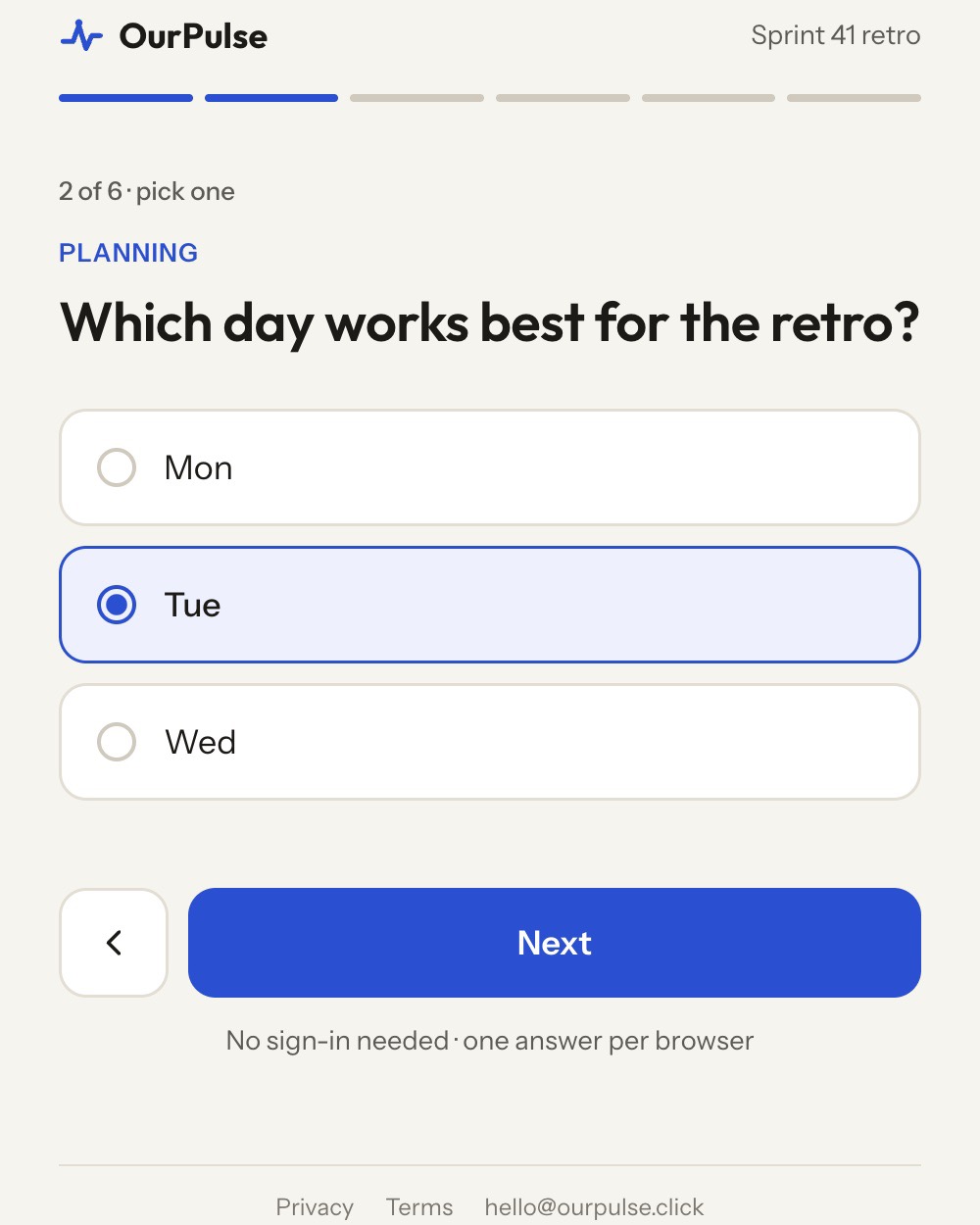
Several choices
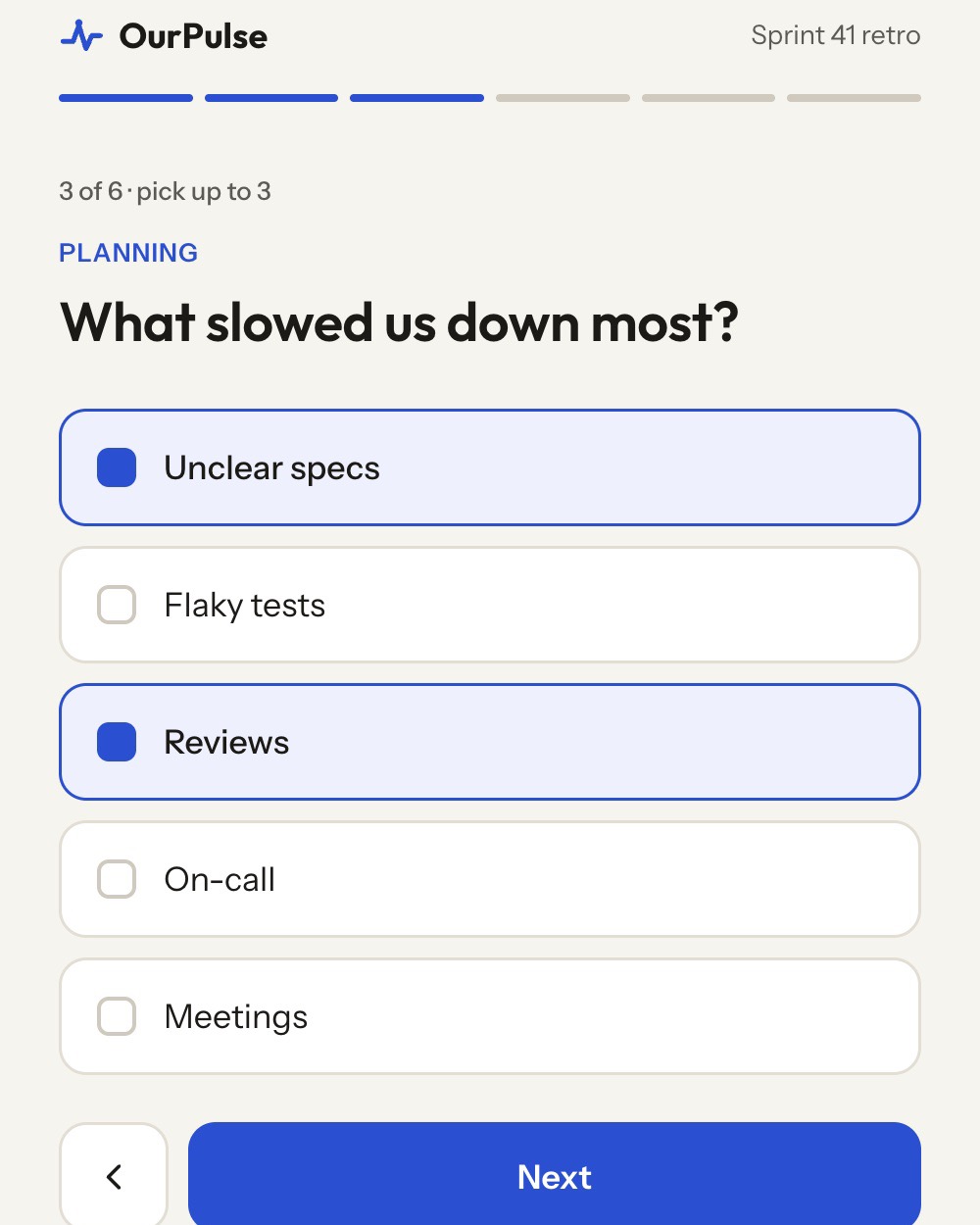
Checkboxes. Cap the picks when you want priorities rather than a wish list: with multi(3) the fourth box greys out until one is unticked. Leave it uncapped for availability questions.
multi(3): What slowed us down most? [Unclear specs, Flaky tests, Reviews, On-call, Meetings]{ "type": "multi", "prompt": "What slowed us down most?",
"options": ["Unclear specs", "Flaky tests", "Reviews", "On-call", "Meetings"],
"max_picks": 3 }Counts per option, like single. The results page notes that multiple picks were allowed, so the counts add up to more than the number of people.
Rate a statement
A five-point switch from Fully disagree to Fully agree, with the word shown as you slide. Write the prompt as a statement, not a question. Consecutive agree lines share one screen, so a retro with four statements is one tap each on a single page.
agree(7) gives seven points; [Never, Always] after the prompt renames the ends.
agree: We shipped what we planned
agree: I knew what to work on each day{ "type": "agree", "prompt": "We shipped what we planned" },
{ "type": "agree", "prompt": "I knew what to work on each day" }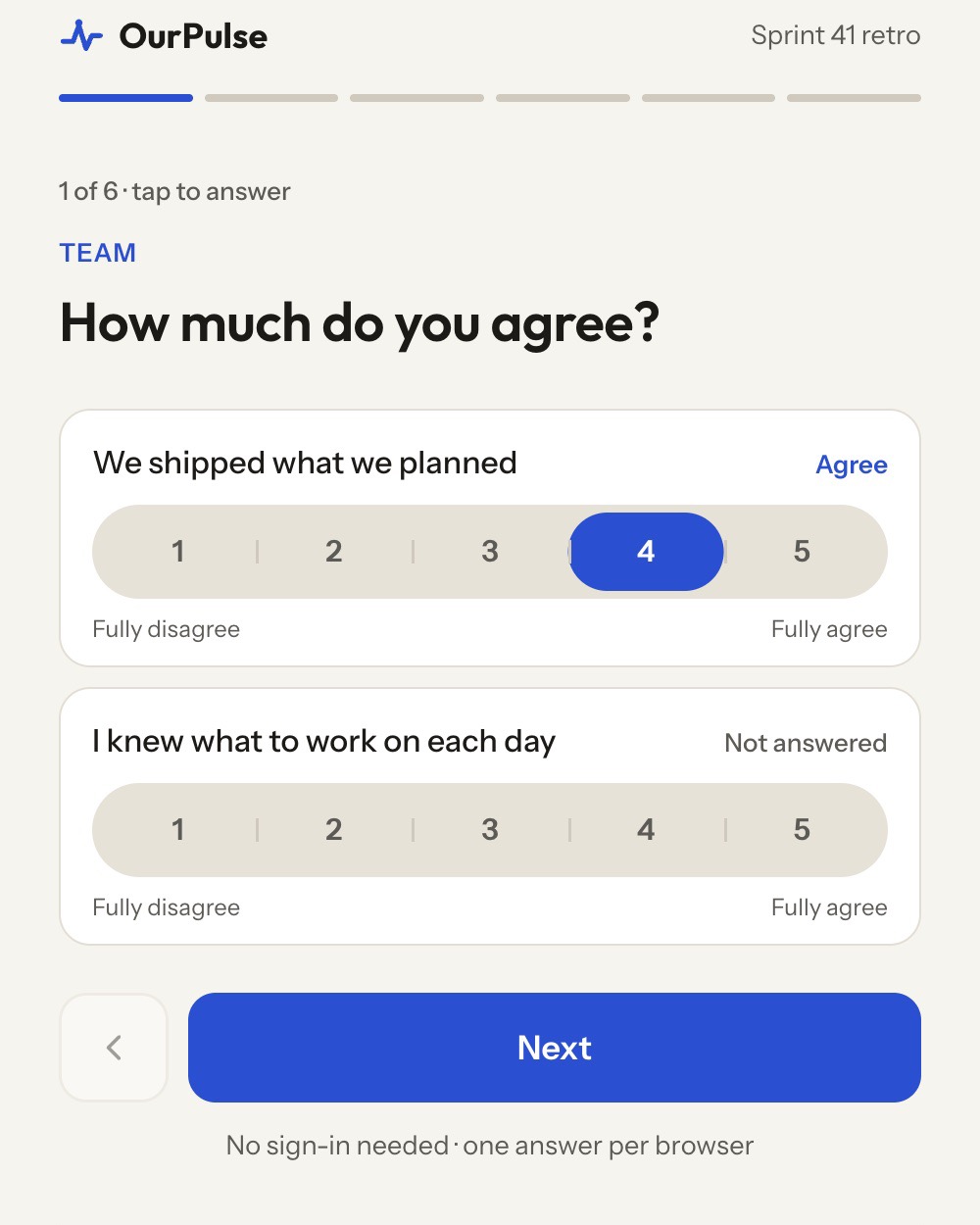
A number from 1 to N
Number tiles. Default 1 to 5, anything from 2 to 10 with scale(10). Two labels in brackets name the ends. Use it for confidence, likelihood, effort, or an NPS-style "would you recommend".
scale(10): How likely are you to recommend this format? [Not at all, Definitely]{ "type": "scale", "prompt": "How likely are you to recommend this format?",
"max": 10, "labels": ["Not at all", "Definitely"] }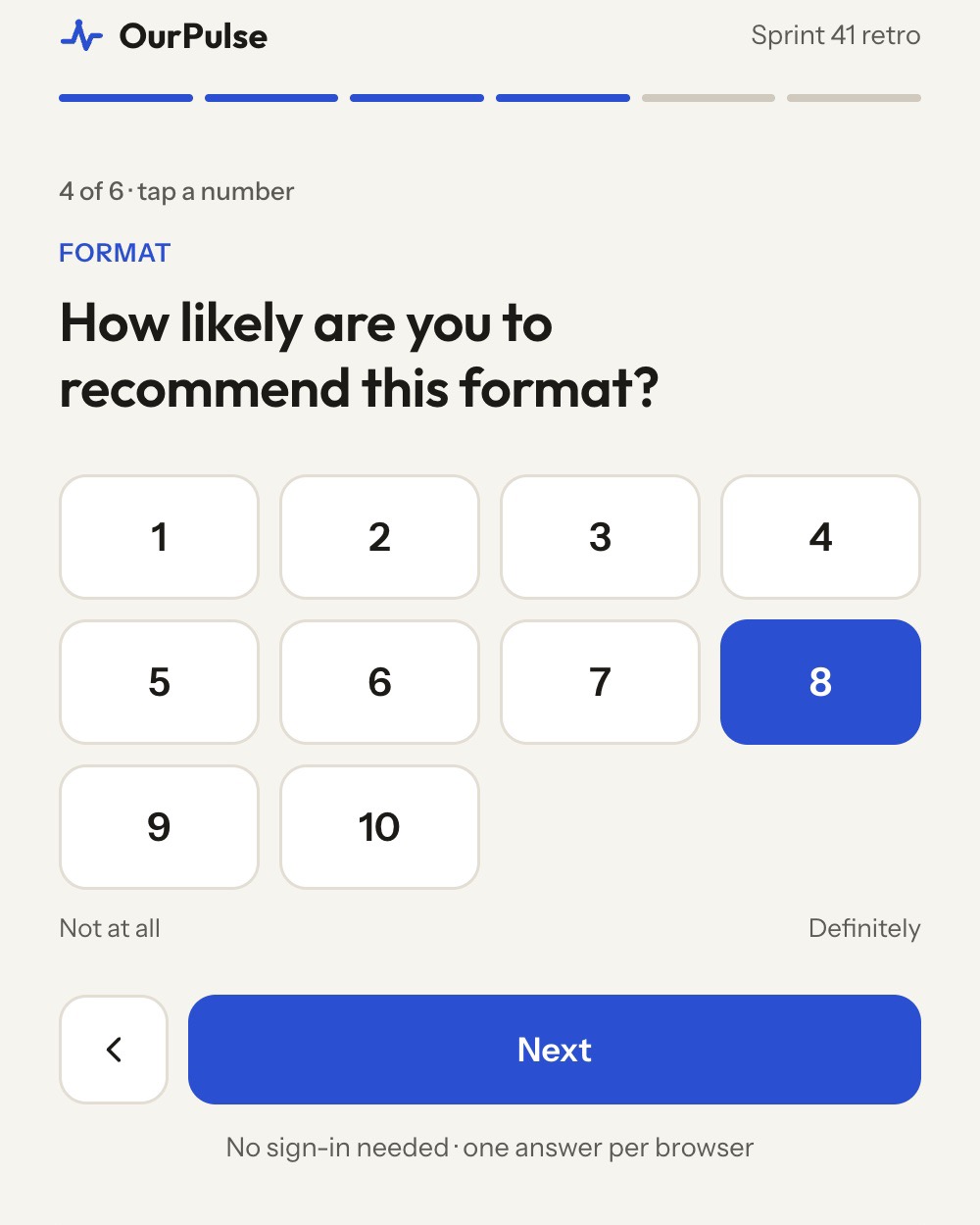
Free text
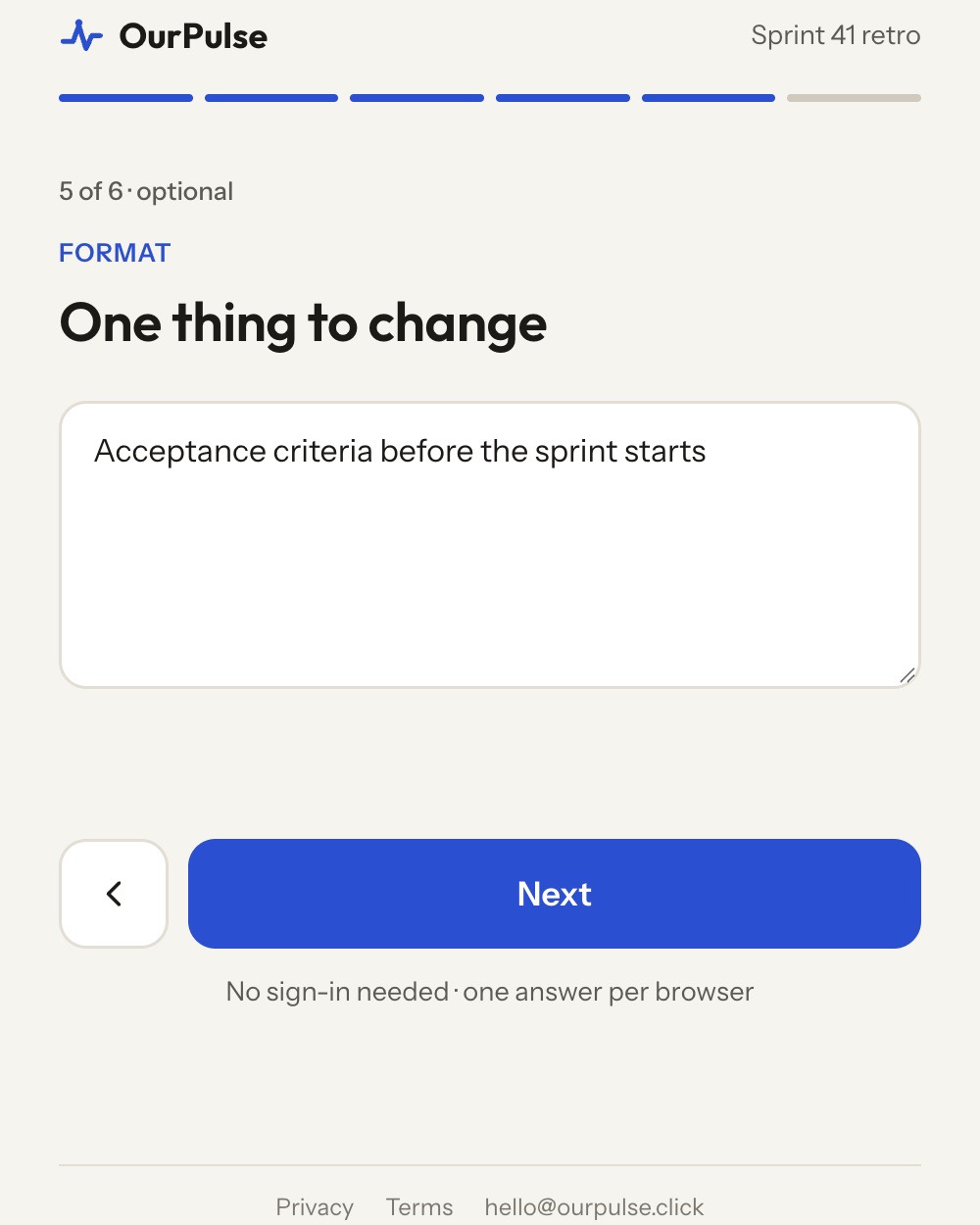
A text box, optional for the respondent, up to 2,000 characters. Use it when the words are the point: "one thing to change", "what happened the last time AI wasted your time". Your agent reads every answer and groups them into themes; the report quotes them only if you say so.
On the formtext: One thing to change{ "type": "text", "prompt": "One thing to change" }- Acceptance criteria before the sprint starts
- Fewer meetings on Tuesday
- I found out what done meant in the review.
Three tricks
Small things that make a pulse smarter
An answer that ends the pulse
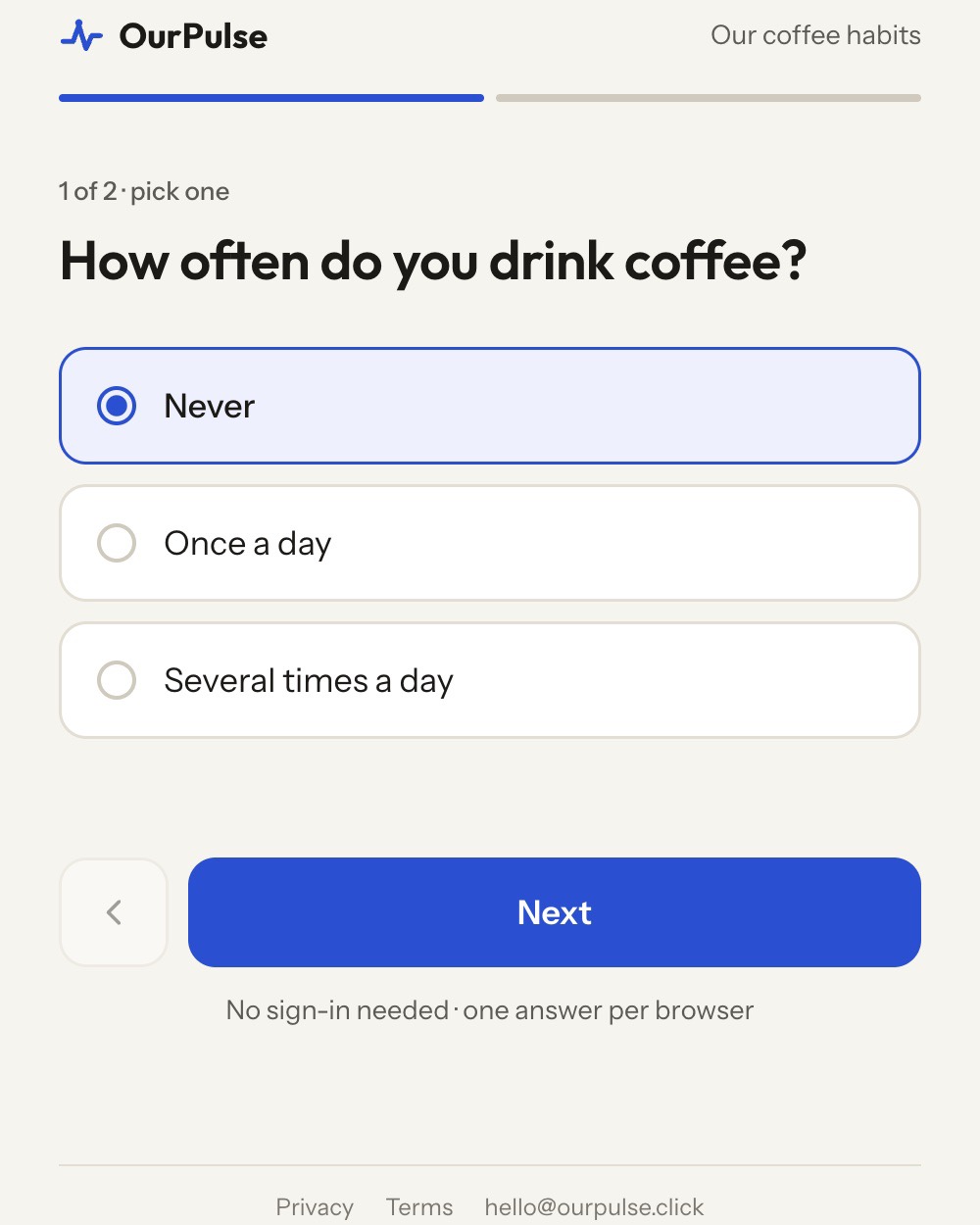
When one answer makes the rest pointless, mark it with !. Someone who picks it goes straight to the last step. Only on single, and at least one option has to continue.
single: How often do you drink coffee? [Never!, Once a day, Several times a day]
single: What type? [Espresso, Filter, Instant]
text: Anything else?
{ "type": "single", "prompt": "How often do you drink coffee?",
"options": ["Never", "Once a day", "Several times a day"],
"ends_on": ["Never"] }Results say how many ended early. Skipped questions simply show fewer answers.
One list, two questions, a map
Declare the options once with @name = … and reuse them. When two questions share a list, the results page adds a map: each option is a dot, placed by its count on question one against its count on question two. "What mattered most" against "what suffered most" is the classic.
@areas = Testing, Docs, Onboarding, Tooling
single: What mattered most this sprint? [@areas]
single: What suffered most? [@areas]
{ "option_sets": { "areas": ["Testing", "Docs", "Onboarding", "Tooling"] },
"questions": [
{ "type": "single", "prompt": "What mattered most this sprint?", "option_set": "areas" },
{ "type": "single", "prompt": "What suffered most?", "option_set": "areas" } ] }Sections
A ## Name line groups every question below it under a heading. Respondents see the section name above the question, and the results page and the CSV carry it too. Use sections for all questions or none.
## Team
agree: We help each other when stuck
## Product
agree: I understand why we build what we build
{ "type": "agree", "prompt": "We help each other when stuck", "section": "Team" }That is the whole vocabulary. Fifty questions per pulse at most, though one to five is where a pulse stays a pulse. Say it to your agent in plain words and it picks the types for you; the draft shows them in brackets before anything is created.